What Is API Integration? Examples, Use Cases & Benefits for Businesses in 2026

TL;DR
This blog breaks down what API integration is, how it works, and why it matters for businesses today. It covers real-world examples, common use cases, and the key benefits of connecting systems through APIs.
You’ll also understand how businesses use API integration to automate workflows, improve data accuracy, and connect tools like CRM, payments, and analytics platforms. Finally, it touches on API integration tools and solutions, along with how API integration is becoming critical in modern AI systems.
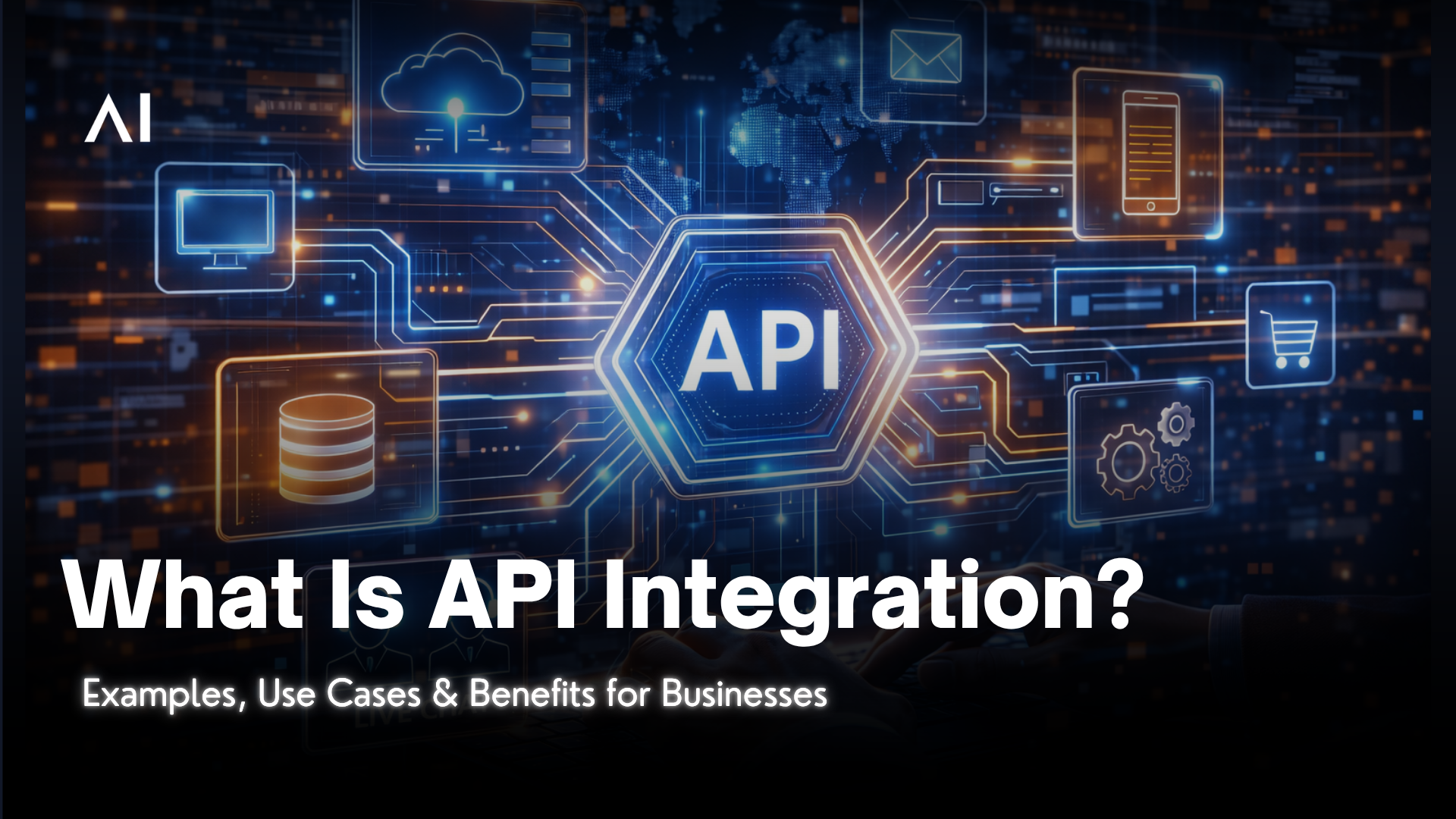
Every time a payment goes through instantly, a lead shows up in your CRM, or your chatbot pulls customer data in real time and that’s API integration at work.
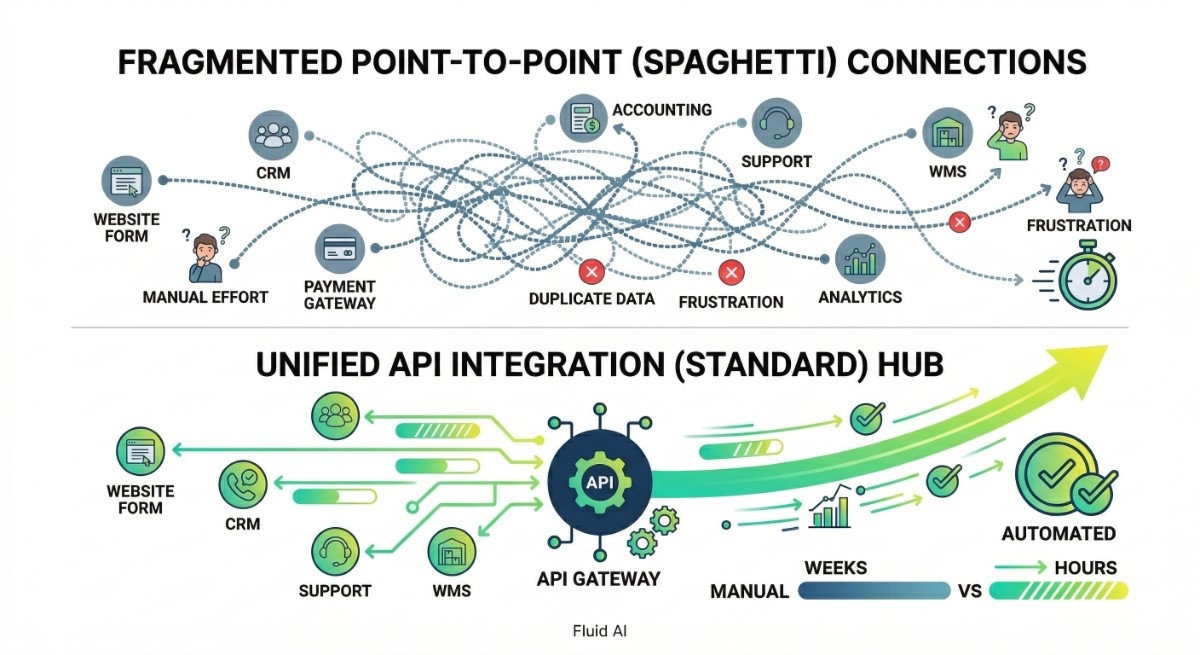
Most businesses use multiple tools like CRM, payments, analytics, and support systems. The problem is, these tools don’t naturally talk to each other. Without integration, teams end up copying data, fixing errors, and wasting time on manual work.
API integration connects these systems so they can share data and trigger actions automatically. It turns disconnected tools into a single, working system.
In this guide, you’ll understand what is API integration mean, how it works, real-world examples, and why it’s becoming essential for modern businesses and especially as automation and AI continue to grow.
Understanding the Basics: What is an API?
Before getting into integration, let’s answer a common question: what is API integration actually built on?
It starts with understanding what is API.
An API (Application Programming Interface) is a set of rules that allows two software systems to communicate. In simple terms, it acts as a bridge between applications.
Think of it like this:
- One system sends a request
- The API carries it
- The other system responds with data
This is why APIs are used everywhere from web apps to mobile apps.
You’ll also often hear related terms like:
- what is REST API integration? (a common web-based API format)
- what is third party API integration? (connecting external services like payments or email tools)
At its core, an API just enables systems to talk without exposing how they work internally.
What Is API Integration?
API Integration means the process of connecting two or more applications' APIs so that they can share data and functionality automatically.
Instead of having employees manually transfer information between systems, like copying customer data from a website form into a CRM, API integration automates this exchange.
A simple example: When a customer buys a product on your Shopify store (Application A), an API integration can automatically trigger the following actions in other systems:
- Send the order details to your warehouse management system (Application B).
- Update the stock levels in your inventory system (Application C).
- Log the new sale and customer details in your accounting software (Application D).
All of this happens instantly through API integrations.
This is also where concepts like what is third party API integration come into play and connecting tools like payment gateways, email services, or analytics platforms into your system.
The goal is simple: Create a connected ecosystem where data flows smoothly between all your tools.
How API Integrations Work
An API integration works like a conversation: one app sends a request, the other replies with data or confirmation. This is essentially how API integration works in real-world systems.
You send requests over HTTP methods like GET (read), POST (create), PUT/PATCH (update), and DELETE (remove). This entire API integration process happens in milliseconds, allowing systems to communicate in real time. Responses usually return status codes (200, 400, 500) and a payload with the data.
You configure endpoints (URL paths), headers (authentication, content type), and body payloads (field values). Middleware or an integration layer can transform data formats, handle retries, and enforce rules. You also set up error handling to log failures and alert your team.
Authentication matters. Common methods include API keys for simple access and OAuth for delegated access. Rate limits and quotas can restrict how often you call an API, so you design backoff and caching strategies.
Benefits of API Integration
The benefits of API integration go beyond just connecting systems. It improves efficiency, reduces manual work, and enables faster operations across teams. These advantages of API integration are why modern businesses rely heavily on it.
Automating Business Processes with API Integration
This is where API integration actually makes a difference.
Instead of people moving data between tools, systems handle it automatically. A customer places an order, and instantly:
- Invoice gets created
- Inventory updates
- Shipping is triggered
No manual steps.
You can also trigger workflows based on events like a new lead or payment. This cuts down processing time, reduces errors, and lets you scale without adding more people just to manage operations.
Enhancing Connectivity Across Systems
Most businesses use multiple tools, CRM, ERP, payments, analytics. The problem is they don’t naturally talk to each other.
API integration for businesses connects these systems so the right data flows where it’s needed:
- Customer info
- Orders
- Payments
You control what connects and what moves. Most setups use REST APIs for simplicity, while some use SOAP for stricter requirements.
The result is simple: all teams work on the same, updated data instead of chasing information across tools.
Improving Data Accuracy with API Integration
Manual entry is where errors creep in.
With API integration, data moves automatically between systems:
- No duplicate entries
- No mismatched records
- No missing fields
You can also enforce rules, like required fields or formats, so bad data doesn’t spread.
Common Business Use Cases for API Integration
These are some common API integration use cases and real-world API integration examples that show how businesses use it daily.
| Use Case | What Happens | Why It Matters |
|---|---|---|
| Connecting Web Applications | API integration connects tools like CRM and marketing platforms so new leads from your website automatically appear in your sales system. | No manual data entry, faster follow-ups, and better lead management. |
| Third-Party API Integration | Businesses use third-party APIs instead of building features from scratch. | Saves development time. |
| eCommerce & Payment API Integration | APIs connect your store to payment gateways and inventory systems. | Faster checkout, real-time inventory, and smoother customer experience. |
| Data Sync Across Systems | API integration for businesses ensures customer data, orders, and transactions stay consistent across CRM, ERP, and analytics tools. | Eliminates duplicates and improves data accuracy. |
| Automation Workflows | APIs trigger actions based on events (new lead, payment received, order placed). | Reduces manual work and speeds up operations. |
| Webhooks & Real-Time Updates | APIs use webhooks to send instant updates like payment status or shipment tracking. | No delays, real-time notifications, better user experience. |
Challenges and Best Practices
You need clear, practical steps to keep integrations secure, stable, and consistent. Focus on access control, versioning plans, and data validation to avoid downtime and data errors.
API Integration Security Considerations
When working with API integration, security is not optional.
You need to control who can access your APIs and what actions they’re allowed to perform. Most businesses use OAuth2 authentication, API keys, or token-based access to manage this.
Always encrypt data using TLS (HTTPS) so information stays secure while moving between systems.
A few basics that go a long way:
- Limit access with proper permissions (don’t give full access to every system)
- Use rate limiting to prevent abuse or overload
- Validate inputs to avoid common issues like injection attacks
- Store API keys securely (never hardcode them)
Strong API security practices protect your data, your systems, and your users.
Managing API Versioning and Changes
APIs evolve, and your API integration needs to handle that.
Instead of breaking things every time something updates, good systems follow API versioning (like v1, v2). This helps teams understand what changed and adapt without disruption.
Keep it simple:
- Maintain older versions for some time
- Share clear updates or changelogs
- Avoid breaking changes unless necessary
Testing new versions before going live is key. It prevents downtime and keeps your integrations stable.
Ensuring Data Consistency in API Integration
One of the biggest advantages of API integration for businesses is consistent data, but only if it’s handled properly.
You should always define a single source of truth for your data. That means one system is responsible for the final version of things like customer info, orders, or inventory.
To keep data reliable:
- Use validation rules (correct formats, required fields)
- Avoid duplicate entries with proper checks
- Sync systems regularly to prevent mismatches
Clean, consistent data leads to better reporting, fewer errors, and smoother operations across your entire system.
API Integration Tools and Solutions
There are many API integration platforms available today, from simple automation tools to enterprise-grade systems. Choosing the best API integration tools depends on your business needs, scale, and technical requirements.
1. Integration Platforms (iPaaS)
Tools like Zapier, Make, or MuleSoft help connect apps without heavy coding.
They’re useful for quick automation and simple workflows.
2. Backend & Developer Tools
Frameworks and tools like Node.js, Postman, and API gateways help developers build and manage integrations at scale.
These are better for custom, high-control setups.
3. Cloud-Based API Solutions
Platforms from AWS, Google Cloud, or Azure provide managed API integration services, including monitoring, security, and scaling.
4. AI + API Integration Platforms
Modern systems (especially in AI and automation) use APIs to connect models with real-world data and actions.
This is where API integration in AI becomes critical so it start enabling chatbots, AI agents, and automation workflows to actually do things, not just respond.
The right tool depends on your complexity, scale, and how much control you need.
Final Thoughts
API integration is not just a technical layer it’s that what keeps modern businesses running smoothly.
From connecting apps and automating workflows to powering real-time systems and AI-driven processes which sits at the center of everything.
If your tools are disconnected, your operations slow down.
If they’re integrated, your business moves faster, cleaner, and with far less friction.
And as systems become more complex and especially with AI in the mix, the API integration for businesses is become no longer optional and becomes foundational.