What Are AI Workflows? How Businesses Automate Tasks End-to-End in 2026

TL;DR
AI workflows connect AI agents, language models, and enterprise tools into end-to-end automated business processes. Unlike traditional automation, they can handle unstructured data, make contextual decisions, and adapt to exceptions without human intervention.
Most enterprises are still running rule-based workflows, but the shift toward adaptive and autonomous AI workflows is accelerating, especially in banking, insurance, and procurement. The gap between companies that adopt enterprise AI workflows and those that don't is already showing up in cost, speed, and customer experience.
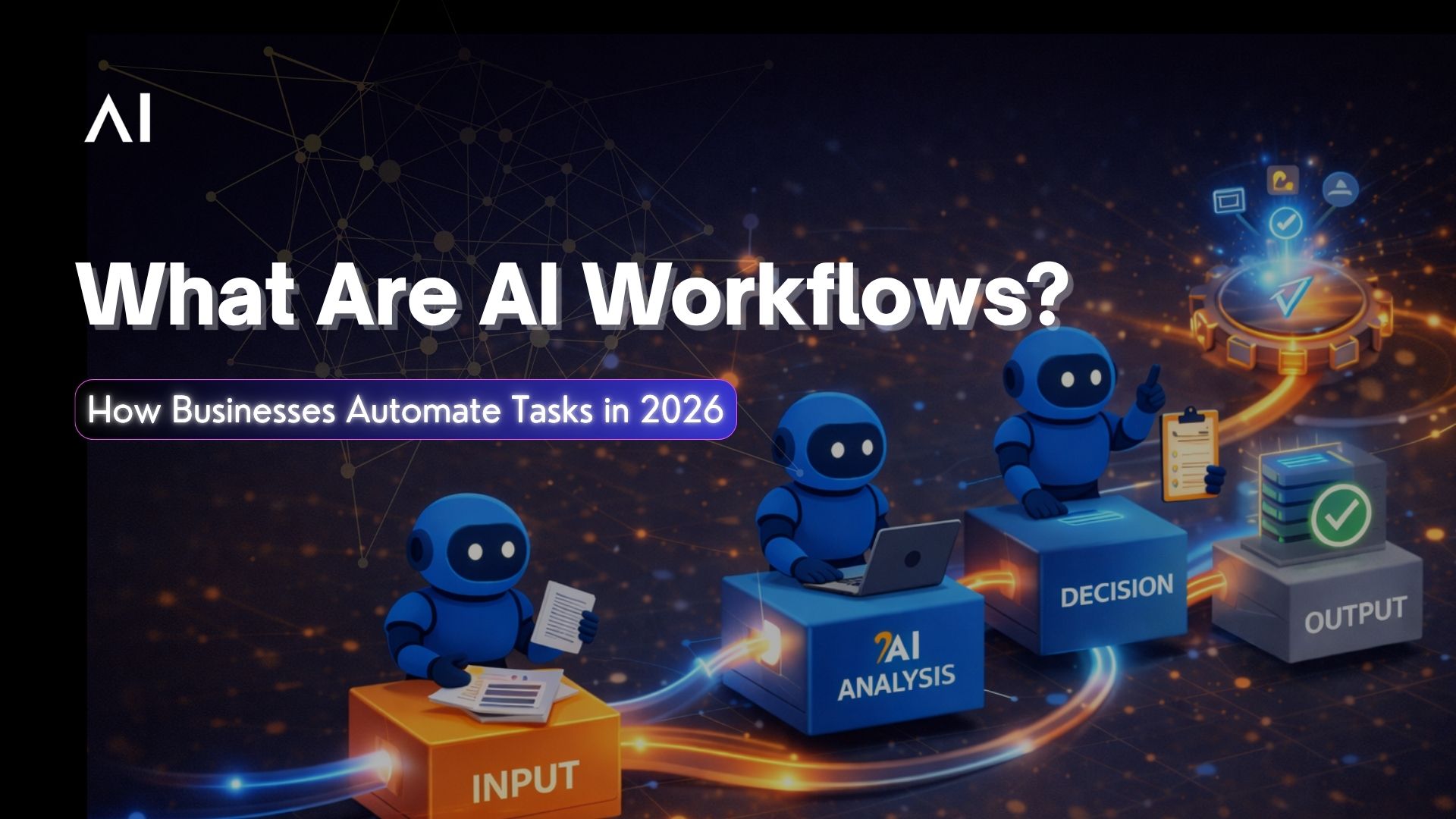
AI workflows are transforming how enterprises operate, replacing rigid, rule-based automation with intelligent, adaptive processes that think, decide, and act across systems. But what exactly are AI workflows, and how do they differ from the automation tools businesses have relied on for decades?
This guide breaks down everything. from how AI workflows function to real enterprise use cases, common failures, and how to choose the right approach for your organization in 2026.
What Are AI Workflows?
An AI workflow is a structured sequence of tasks where AI agents, models, and tools work together to complete a business process from start to finish, with minimal or no human involvement.
Think of it this way: a traditional workflow follows a fixed script. If step 3 fails, the whole process stops and waits for a human. An AI workflow reads the situation, decides what to do next, pulls in the right data, calls the right tools, and keeps moving.
AI workflows combine several capabilities into a single process: natural language understanding to interpret inputs, retrieval systems to pull relevant knowledge, decision logic to choose the next action, tool calling to execute tasks across systems, and memory to maintain context across steps.
The result is workflow automation that actually handles the messy, exception-heavy work that traditional automation was never built for, things like processing an insurance claim where the document is a scanned PDF in a different language, or onboarding a banking customer whose KYC documents don't match the expected format.
AI Workflows vs Traditional Automation
What is the core difference between AI Workflows, Agentic Workflows and Traditional Automation
Traditional Automation (RPA/BPMN):
- Follows fixed, rule-based logic with no ability to adapt mid-process
- Handles structured data only, forms, spreadsheets, database fields
- Breaks on exceptions and requires human intervention to resume
- Needs developer involvement for every process update or change
- Operates within a single system with limited cross-platform capability
AI Workflows:
- Adapts to context and adjusts decisions based on real-time inputs
- Handles both structured and unstructured data, emails, PDFs, images, voice
- Resolves exceptions autonomously without stalling the process
- Learns and improves from feedback over time
- Operates across multiple systems through API integrations and tool calling
Agentic Workflows:
- Everything above, plus autonomous goal-setting and sub-task planning
- Coordinates multiple AI agents working in parallel across a single process
- Self-directed planning, the agent decides the workflow sequence, not a human template
- The most advanced form of AI workflow automation available in 2026
How AI Workflows Work: From Trigger to Execution
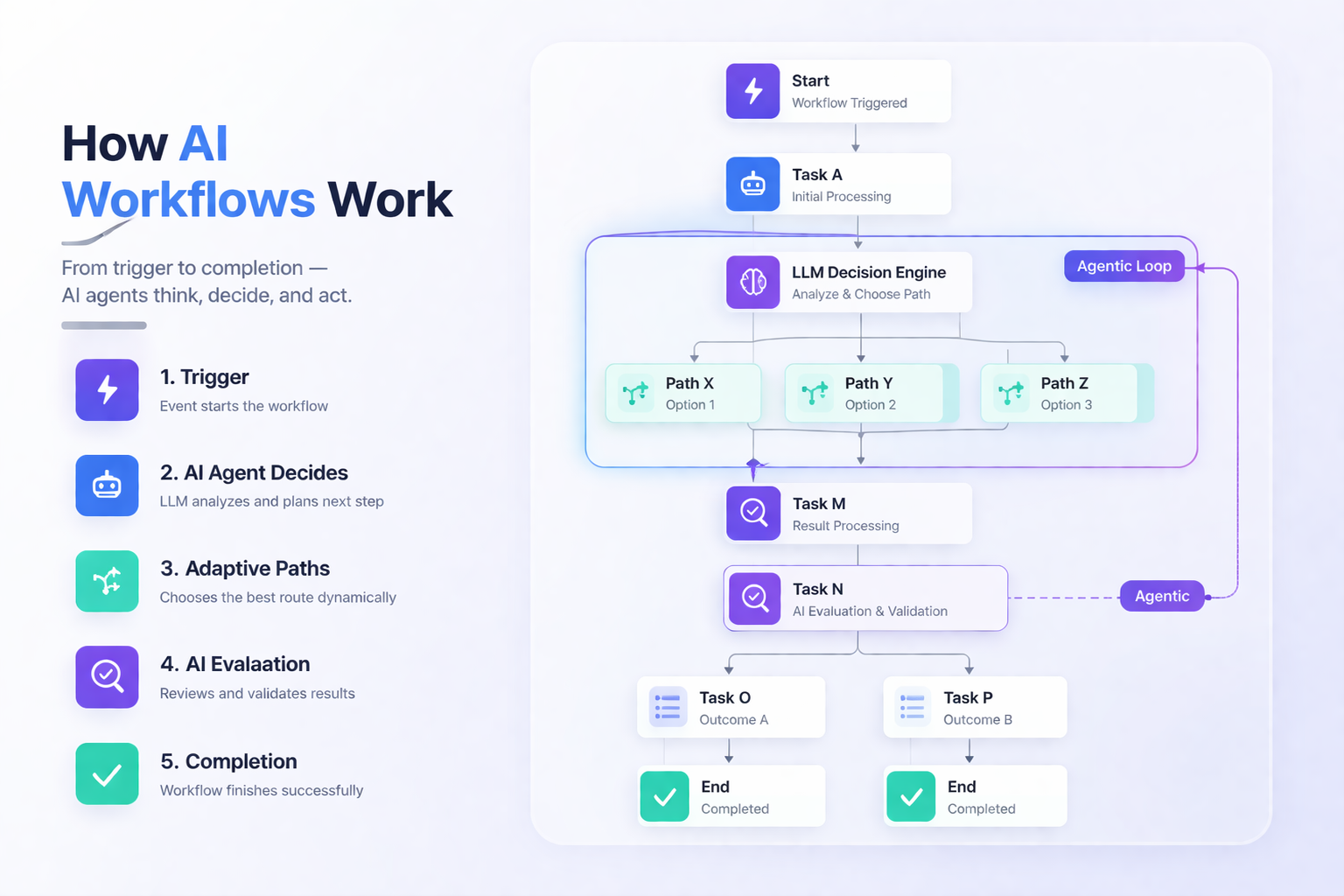
Every AI workflow follows a core loop, regardless of complexity:
- Trigger: something initiates the workflow. A customer submits a form. An email arrives. A transaction exceeds a threshold. A scheduled time hits.
- Agent Activation: an AI agent receives the trigger and interprets what needs to happen. This is where natural language understanding and context engineering come in, the agent needs the right context to make the right first decision.
- Decision: the agent evaluates the situation, pulls relevant knowledge from a retrieval system or memory layer, and decides the next step. This could be a simple classification ("route this to team X") or a complex multi-step plan ("verify this document, cross-check against the database, flag the discrepancy, and escalate if unresolved").
- Tool Calling: the agent executes actions by calling APIs, querying databases, updating CRM records, sending notifications, or triggering downstream processes. This is where AI workflows connect to your existing enterprise stack.
- Output and Feedback: the workflow produces a result, an approved claim, a completed onboarding, a resolved ticket. The output feeds back into the system, updating memory and improving future decisions.
The entire loop can run in seconds, handle thousands of parallel instances, and operate 24/7 without fatigue or inconsistency.
Types of AI Workflows: Rule-Based, Adaptive, and Autonomous
Not all AI workflows are the same. They exist on a maturity spectrum, and most enterprises are still at the first level.
Level 1: Rule-Based AI Workflows
AI handles specific tasks within a predefined flow. The overall process is still scripted by humans.
Example: an AI model classifies incoming support tickets and routes them to the right department. The routing logic is fixed, the AI just handles the classification step. Most enterprises using AI workflow automation today are here.
Level 2: Adaptive AI Workflows
AI agents can modify the flow based on context and exceptions. If something unexpected happens, the agent adjusts rather than stopping.
Example: a claims processing workflow where the AI detects a missing document, automatically sends a request to the customer, pauses that claim, continues processing others, and resumes when the document arrives. The workflow adapts in real time.
Level 3: Autonomous AI Workflows
AI agents plan, execute, and optimize the entire process independently. They set sub-goals, coordinate with other agents, and improve the workflow over time without human redesign.
Example: an autonomous procurement workflow where agents identify supplier risks, renegotiate terms, reroute orders, and update contracts, all without a human approving each step. This is where agentic AI workflows live, and it's where the industry is heading.
The jump from Level 1 to Level 3 doesn't happen overnight. It requires the right AI orchestration layer, robust context engineering, and governance frameworks that let you control what the agents can and can't do independently.
Key Components of an Enterprise AI Workflow
A production-grade enterprise AI workflow isn't just an AI model plugged into a process. It requires several layers working together.
- Orchestration Layer: The brain that coordinates the workflow, deciding which agent handles which step, managing parallel execution, handling failures and retries. This is where AI orchestration connects to AI workflows. Without a strong orchestration layer, multi-step workflows collapse under complexity.
- Agent Layer: The individual AI agents that perform tasks, classifying documents, generating responses, making decisions, calling tools. Each agent may use a different model depending on the task. A routing decision might use a fast, small model. A compliance check might require a more powerful reasoning model.
- Memory and Context Layer: The system that maintains context across workflow steps. If an agent in step 5 doesn't know what happened in step 2, the workflow produces contradictory or redundant outputs. This ties directly to context engineering, designing what each agent sees and when.
- Tool and Integration Layer: The connectors to enterprise systems, CRM, ERP, banking core, compliance databases, communication platforms. AI workflows are only as useful as the systems they can interact with. API integrations are the backbone.
- Governance and Control Layer: The guardrails that define what the workflow can do autonomously and when it must escalate to a human. In regulated industries like banking and insurance, this layer is non-negotiable. You need to maintain control over autonomous workflow execution while still getting the speed benefits.
- Observability Layer: The monitoring system that tracks what the workflow is doing, why it made each decision, and where it's failing. Without observability, autonomous workflows become black boxes, and black boxes don't survive compliance audits.
AI Workflows vs Agentic Workflows: What's the Difference?
| Aspect | AI Workflows | Agentic Workflows |
|---|---|---|
| Definition | Automated processes using AI within a predefined structure | Workflows driven by AI agents that plan and execute tasks autonomously |
| Control | Human-designed flow controls the sequence | AI agents decide the sequence and execution |
| Flexibility | Limited to predefined logic with some adaptability | Highly flexible, adapts dynamically to goals and context |
| Decision Making | AI makes decisions within fixed steps | AI decides both what to do and how to do it |
| Workflow Structure | Structured and rule-guided | Emergent and dynamic |
| Role of Humans | Humans design and define the workflow | Humans define goals, AI handles execution |
| Adaptability | Handles exceptions within defined boundaries | Continuously adapts and re-plans in real-time |
| Example | Customer onboarding with fixed steps + AI validation | AI agent handling onboarding end-to-end, adjusting flow dynamically |
AI Workflow Examples: Real Enterprise Use Cases
Banking / Customer Onboarding:
A new customer submits documents through the bank's app. The AI workflow extracts data from the documents using OCR, verifies identity against government databases, runs KYC and AML compliance checks, flags any discrepancies for review, and activates the account, all within minutes. The workflow handles exceptions like mismatched names, expired IDs, or flagged addresses by requesting updated documents automatically rather than stalling the entire process.
Insurance / Claims Processing:
A policyholder files a claim with photos and a description. The AI workflow classifies the claim type, assesses damage from images, cross-references the policy terms, calculates the payout, and either auto-approves straightforward claims or routes complex ones to a human adjuster with a pre-filled recommendation. Fluid AI deploys AI agents in insurance that reduce average claim resolution from 14 days to under 48 hours.
Procurement / Supplier Evaluation and Ordering
A purchase request triggers an autonomous procurement workflow. The AI evaluates approved suppliers, compares pricing and delivery timelines, checks compliance status, selects the optimal vendor, generates the purchase order, and sends it for approval, or auto-approves if the amount falls within preset limits. The entire sourcing-to-order cycle that used to take a procurement team days now runs in minutes.
IT / Ticket Resolution
An employee submits a support ticket. The AI workflow classifies the issue, checks the knowledge base for known solutions, attempts an automated fix (password reset, permission update, software reinstallation), and only escalates to a human agent if the automated resolution fails. For Tier 1 issues, this achieves 60–70% deflection rates.
Want to deploy production-ready AI workflow automation in 60 days with built-in orchestration, governance, and enterprise integrations.?
Book a demo →
Common AI Workflow Failures and How to Avoid Them
- Failure 1: Context Loss Between Steps: The most common issue. Agent A completes step 1 and passes output to Agent B, but Agent B doesn't receive the full context. Result: contradictory decisions, repeated work, or hallucinated outputs. Fix: invest in context engineering, design exactly what each agent receives at each step, including prior decisions, not just raw data.
- Failure 2: Over-Automation Too Early: Enterprises automate complex, high-stakes workflows before validating the AI's accuracy on simpler tasks. A procurement workflow that auto-approves six-figure orders without human review is a risk disaster in month one. Fix: start with human-in-the-loop at every decision point. Remove humans gradually as accuracy data builds confidence.
- Failure 3: No Fallback Logic: The workflow assumes every step succeeds. When a tool call fails, an API times out, or a model returns a low-confidence output, the entire workflow stalls. Fix: build explicit fallback paths, retry logic, graceful degradation, human escalation triggers, into every step.
- Failure 4: Invisible Failures: The workflow runs but produces subtly wrong results. A claims workflow that approves payouts at slightly incorrect amounts. A KYC workflow that misclassifies a flagged entity as clean. Without workflow observability, these errors compound silently. Fix: log every decision, monitor output distributions, and set up anomaly alerts.
- Failure 5: Integration Fragility: The workflow depends on 8 different APIs. One vendor changes their API schema. The workflow breaks. Fix: build an abstraction layer between your AI workflows and external systems. Use MCP or similar protocols to standardize how agents interact with tools, so a single API change doesn't cascade.
Conclusion
AI workflows aren't a future trend, they're the operational backbone enterprises are building on right now. The companies that moved early are already seeing the gap: faster claim resolutions, frictionless onboarding, procurement cycles that run in minutes instead of days, and support teams focused on complex problems instead of drowning in repetitive tickets.
Most enterprises are still at Level 1, rule-based AI workflows with humans managing every exception. The path to Level 3, fully autonomous workflows, is clear. The question isn't whether your industry will get there. It's whether you'll lead or follow.